


Craft Bakery
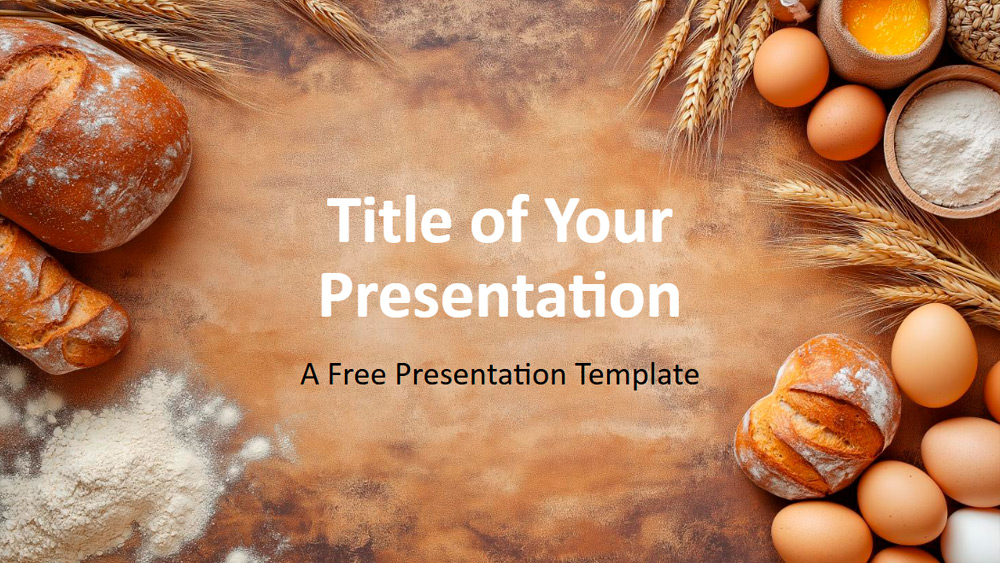


This template offers inviting backgrounds featuring bread, wheat, eggs, and flour on a rustic brown surface, creating a welcoming bakery atmosphere. With a color scheme based on earthy browns, golds, and creamy whites, the slides convey a natural and authentic feel, ideal for any presentation about baking, cooking, or natural foods. Bakers, chefs, nutritionists, and food marketers will find this template useful for showcasing artisanal products, sharing recipes, or promoting whole foods. It can be easily customized with your own photos or colors to match your brand. The design is ideal for farmers markets, food workshops, or organic food campaigns, and includes six main slides plus a color and font guide slide. Editing is simple thanks to preset placeholders and SlideMaster compatibility, while the widescreen format ensures your presentation looks professional on all screens. This template is compatible with both PowerPoint and Google Slides, offering flexibility for any event or purpose.
Preview
Features
- 6 slides with color palette.
- Easy editing with SlideMaster.
- Placeholders for text and images.
- Widescreen format.
- For PowerPoint and Google Slides.
- Easy editing with SlideMaster.
- Placeholders for text and images.
- Widescreen format.
- For PowerPoint and Google Slides.
How to download the Craft Bakery template for Powerpoint
1. On this same page, scroll down to the download block until you see the buttons.
2. Click on the button below the presentation features that says 'Download Craft Bakery as a Free PowerPoint template'.
3. Once done it will start downloading a .pptx file that you can edit in PowerPoint.
4. If we do not have the powerpoint file we will direct you to the original source so you can download it.
5. If the fonts used in the template are not on your computer, you should download and install them for the template to display correctly. You can find the fonts in the original font link.
Source: presentationgo.com
2. Click on the button below the presentation features that says 'Download Craft Bakery as a Free PowerPoint template'.
3. Once done it will start downloading a .pptx file that you can edit in PowerPoint.
4. If we do not have the powerpoint file we will direct you to the original source so you can download it.
5. If the fonts used in the template are not on your computer, you should download and install them for the template to display correctly. You can find the fonts in the original font link.
Source: presentationgo.com
How to download the template Craft Bakery in Google Slides
1. Just like the powerpoint version, scroll to the bottom of the template features.
2. You can now click on the button that says 'Use Craft Bakery as a Google Slides theme'.
3. A new window will open with a larger preview. If you want to use the template, click the Use template button in the upper right corner.
4. A copy of the document will be added to your Google Drive account and you will be able to edit, add or delete slides.
2. You can now click on the button that says 'Use Craft Bakery as a Google Slides theme'.
3. A new window will open with a larger preview. If you want to use the template, click the Use template button in the upper right corner.
4. A copy of the document will be added to your Google Drive account and you will be able to edit, add or delete slides.