


Emerald Gold Style
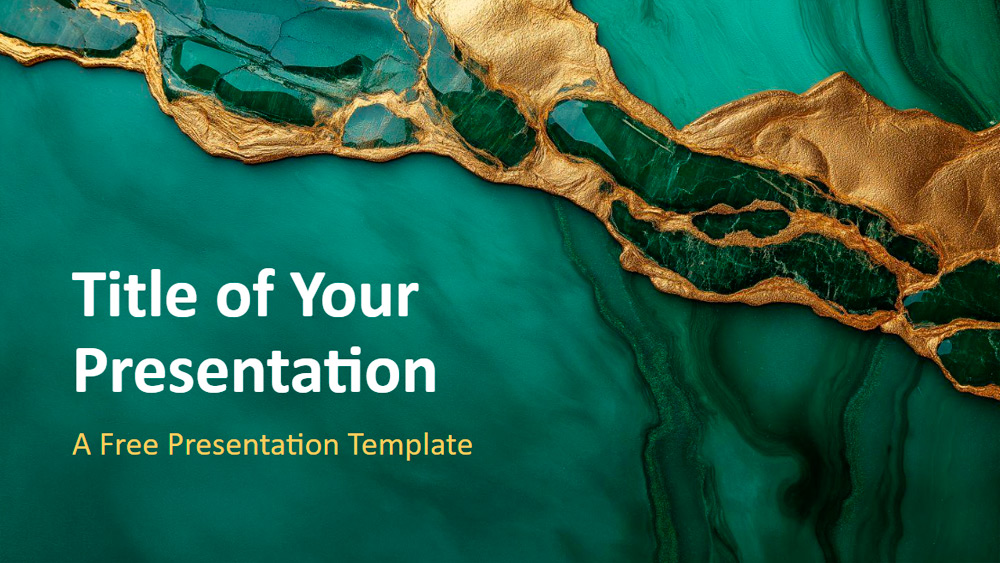


This template features a rich emerald green marble background accented with striking gold veining, giving each slide a luxurious and elegant look. The marble patterns vary, offering both wide and detailed views, while the gold accents add a sense of exclusivity and depth. The design blends inspiration from natural stone with an artistic flair, making it suitable for high-end businesses, luxury brand marketing, premium event planning, or showcasing sophisticated design ideas. It's ideal for executives, designers, marketers, and event planners who want their presentations to stand out in style. Customization is easy: adjust the shades of green, add your logo in gold, or tailor the slides to your brand. The template includes six master slides and a color and typography guide, is designed for easy editing, and is compatible with PowerPoint and Google Slides in a modern widescreen format.
Preview
Features
- 6 slides and one color palette slide.
- Easy editing with SlideMaster.
- Includes placeholders for text and images.
- Widescreen format.
- Compatible with PowerPoint and Google Slides.
- Easy editing with SlideMaster.
- Includes placeholders for text and images.
- Widescreen format.
- Compatible with PowerPoint and Google Slides.
How to download the Emerald Gold Style template for Powerpoint
1. On this same page, scroll down to the download block until you see the buttons.
2. Click on the button below the presentation features that says 'Download Emerald Gold Style as a Free PowerPoint template'.
3. Once done it will start downloading a .pptx file that you can edit in PowerPoint.
4. If we do not have the powerpoint file we will direct you to the original source so you can download it.
5. If the fonts used in the template are not on your computer, you should download and install them for the template to display correctly. You can find the fonts in the original font link.
Source: presentationgo.com
2. Click on the button below the presentation features that says 'Download Emerald Gold Style as a Free PowerPoint template'.
3. Once done it will start downloading a .pptx file that you can edit in PowerPoint.
4. If we do not have the powerpoint file we will direct you to the original source so you can download it.
5. If the fonts used in the template are not on your computer, you should download and install them for the template to display correctly. You can find the fonts in the original font link.
Source: presentationgo.com
How to download the template Emerald Gold Style in Google Slides
1. Just like the powerpoint version, scroll to the bottom of the template features.
2. You can now click on the button that says 'Use Emerald Gold Style as a Google Slides theme'.
3. A new window will open with a larger preview. If you want to use the template, click the Use template button in the upper right corner.
4. A copy of the document will be added to your Google Drive account and you will be able to edit, add or delete slides.
2. You can now click on the button that says 'Use Emerald Gold Style as a Google Slides theme'.
3. A new window will open with a larger preview. If you want to use the template, click the Use template button in the upper right corner.
4. A copy of the document will be added to your Google Drive account and you will be able to edit, add or delete slides.