


Aesthetic Psychology
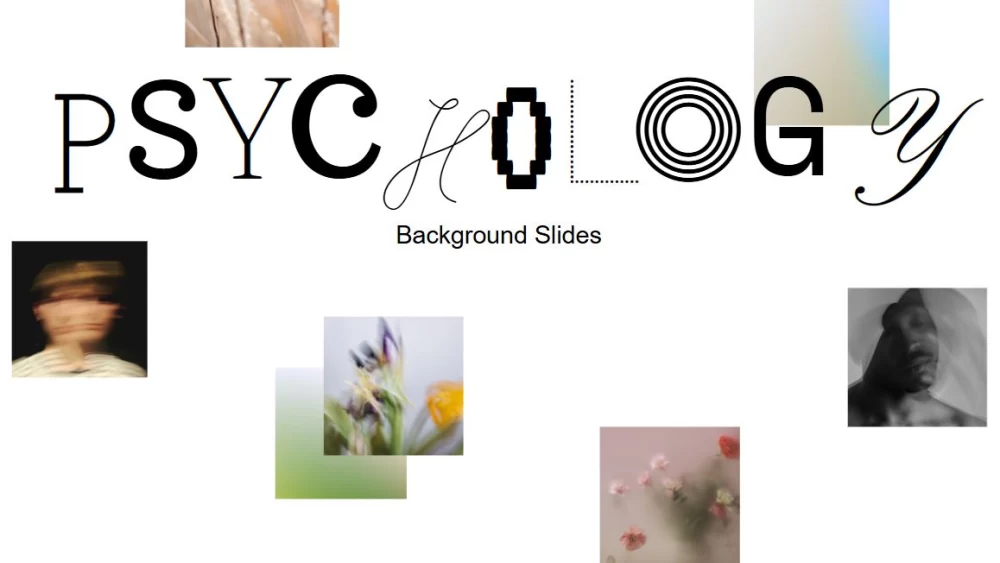


Capture your students’ attention with a presentation that combines elegance with a modern touch. Designed for teachers, this template is perfect for bringing a polished and stylish feel to psychology classes and other subjects that require a refined look. Its clean black-and-white design creates a strong visual impact while keeping the content easy to follow and professional-looking. Ideal for lectures, classroom debates, or topic introductions, it helps present complex ideas clearly and engagingly. With its balanced combination of simplicity and sophistication, this template makes your classes more visually appealing and helps students stay focused on the message.
Preview
Features
- 13 fully customizable 16:9 slides
- Wide variety of graphics, frames, lines, and shapes
- Simple animation and transition tools
- Easy export and sharing in numerous formats
- Wide variety of graphics, frames, lines, and shapes
- Simple animation and transition tools
- Easy export and sharing in numerous formats
How to download the Aesthetic Psychology template for Powerpoint
1. On this same page, scroll down to the download block until you see the buttons.
2. Click on the button below the presentation features that says 'Download Aesthetic Psychology as a Free PowerPoint template'.
3. Once done it will start downloading a .pptx file that you can edit in PowerPoint.
4. If we do not have the powerpoint file we will direct you to the original source so you can download it.
5. If the fonts used in the template are not on your computer, you should download and install them for the template to display correctly. You can find the fonts in the original font link.
Source: slidescarnival.com
2. Click on the button below the presentation features that says 'Download Aesthetic Psychology as a Free PowerPoint template'.
3. Once done it will start downloading a .pptx file that you can edit in PowerPoint.
4. If we do not have the powerpoint file we will direct you to the original source so you can download it.
5. If the fonts used in the template are not on your computer, you should download and install them for the template to display correctly. You can find the fonts in the original font link.
Source: slidescarnival.com
How to download the template Aesthetic Psychology in Google Slides
1. Just like the powerpoint version, scroll to the bottom of the template features.
2. You can now click on the button that says 'Use Aesthetic Psychology as a Google Slides theme'.
3. A new window will open with a larger preview. If you want to use the template, click the Use template button in the upper right corner.
4. A copy of the document will be added to your Google Drive account and you will be able to edit, add or delete slides.
2. You can now click on the button that says 'Use Aesthetic Psychology as a Google Slides theme'.
3. A new window will open with a larger preview. If you want to use the template, click the Use template button in the upper right corner.
4. A copy of the document will be added to your Google Drive account and you will be able to edit, add or delete slides.