


Sweetheart
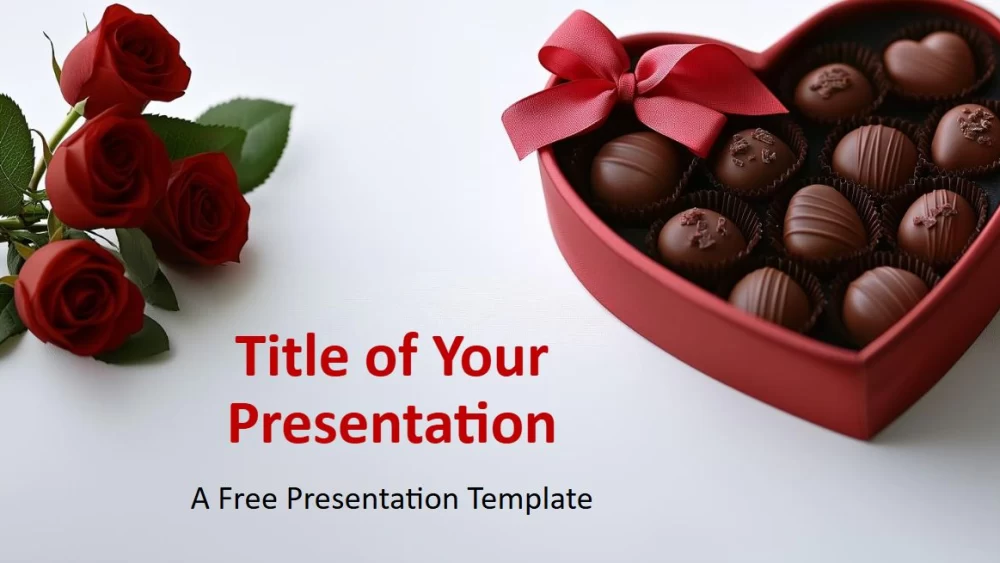


Celebrate Valentine’s Day with a romantic presentation template inspired by love, sweetness, and connection. Its design combines heart-shaped chocolates, deep red roses, dark brown details, and a clean white background to create a warm and elegant look. Use it to promote events, showcase romantic products, explain the traditions of this holiday, prepare a marriage proposal, or create a personal message for someone special. The editable layouts make it easy to replace the sample text, change images, adjust fonts, and add branding elements or personal details. The package includes six designed slides, plus a guide slide with the color palette and fonts. With master slide editing, a 16:9 format, and compatibility with PowerPoint and Google Slides, it offers an easy and flexible way to share heartfelt ideas.
Preview
Features
- 6 slides plus a color palette
- Easy editing with the master template
- Placeholders for text and images
- Widescreen 16:9 format
- Compatible with PowerPoint and Google Slides
- Easy editing with the master template
- Placeholders for text and images
- Widescreen 16:9 format
- Compatible with PowerPoint and Google Slides
How to download the Sweetheart template for Powerpoint
1. On this same page, scroll down to the download block until you see the buttons.
2. Click on the button below the presentation features that says 'Download Sweetheart as a Free PowerPoint template'.
3. Once done it will start downloading a .pptx file that you can edit in PowerPoint.
4. If we do not have the powerpoint file we will direct you to the original source so you can download it.
5. If the fonts used in the template are not on your computer, you should download and install them for the template to display correctly. You can find the fonts in the original font link.
Source: presentationgo.com
2. Click on the button below the presentation features that says 'Download Sweetheart as a Free PowerPoint template'.
3. Once done it will start downloading a .pptx file that you can edit in PowerPoint.
4. If we do not have the powerpoint file we will direct you to the original source so you can download it.
5. If the fonts used in the template are not on your computer, you should download and install them for the template to display correctly. You can find the fonts in the original font link.
Source: presentationgo.com
How to download the template Sweetheart in Google Slides
1. Just like the powerpoint version, scroll to the bottom of the template features.
2. You can now click on the button that says 'Use Sweetheart as a Google Slides theme'.
3. A new window will open with a larger preview. If you want to use the template, click the Use template button in the upper right corner.
4. A copy of the document will be added to your Google Drive account and you will be able to edit, add or delete slides.
2. You can now click on the button that says 'Use Sweetheart as a Google Slides theme'.
3. A new window will open with a larger preview. If you want to use the template, click the Use template button in the upper right corner.
4. A copy of the document will be added to your Google Drive account and you will be able to edit, add or delete slides.