


Desert Tales
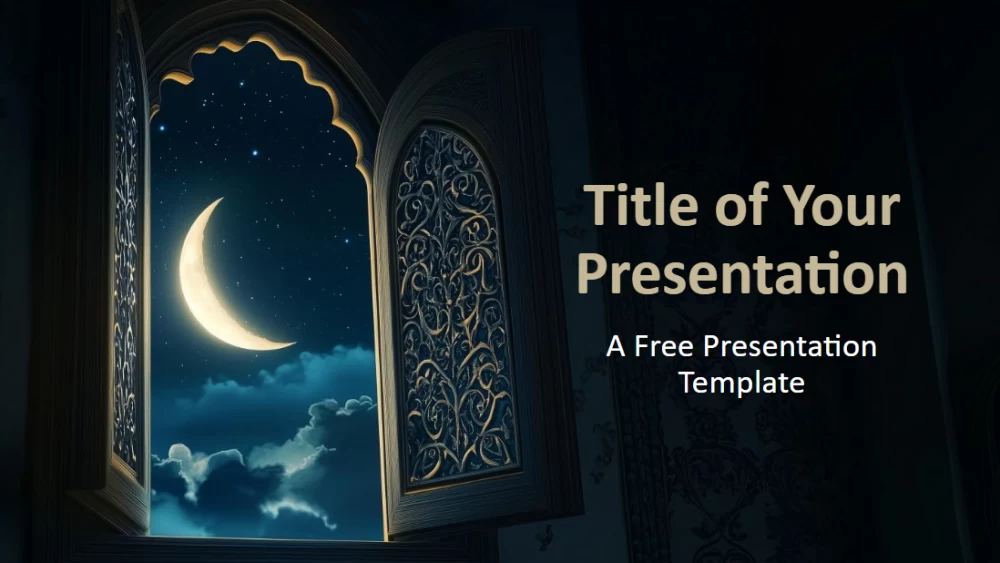


Bring the atmosphere of One Thousand and One Nights to your presentation with ornate golden arabesques, an open window, and a starry sky crowned by a crescent moon. Dark blue and black tones create a mysterious atmosphere, balanced by warm golden details. Use the design for storytelling, creative projects, astronomy or Islamic art classes, cultural topics, or discussions about Ramadan and spirituality. Editable text areas and image placeholders make it easy to adapt the slides to your topic. The template includes six layouts and a reference slide with its color palette and typography, and can be edited through the master template.
Preview
Features
- 6 slides and a color palette
- Easy master template editing
- Predefined text and image placeholders
- Widescreen format
- Works in PowerPoint and Google Slides
How to download the Desert Tales template for Powerpoint
1. On this same page, scroll down to the download block until you see the buttons.
2. Click on the button below the presentation features that says 'Download Desert Tales as a Free PowerPoint template'.
3. Once done it will start downloading a .pptx file that you can edit in PowerPoint.
4. If we do not have the powerpoint file we will direct you to the original source so you can download it.
5. If the fonts used in the template are not on your computer, you should download and install them for the template to display correctly. You can find the fonts in the original font link.
Source: presentationgo.com
How to download the template Desert Tales in Google Slides
1. Just like the powerpoint version, scroll to the bottom of the template features.
2. You can now click on the button that says 'Use Desert Tales as a Google Slides theme'.
3. A new window will open with a larger preview. If you want to use the template, click the Use template button in the upper right corner.
4. A copy of the document will be added to your Google Drive account and you will be able to edit, add or delete slides.