


Coffee Break for Professionals
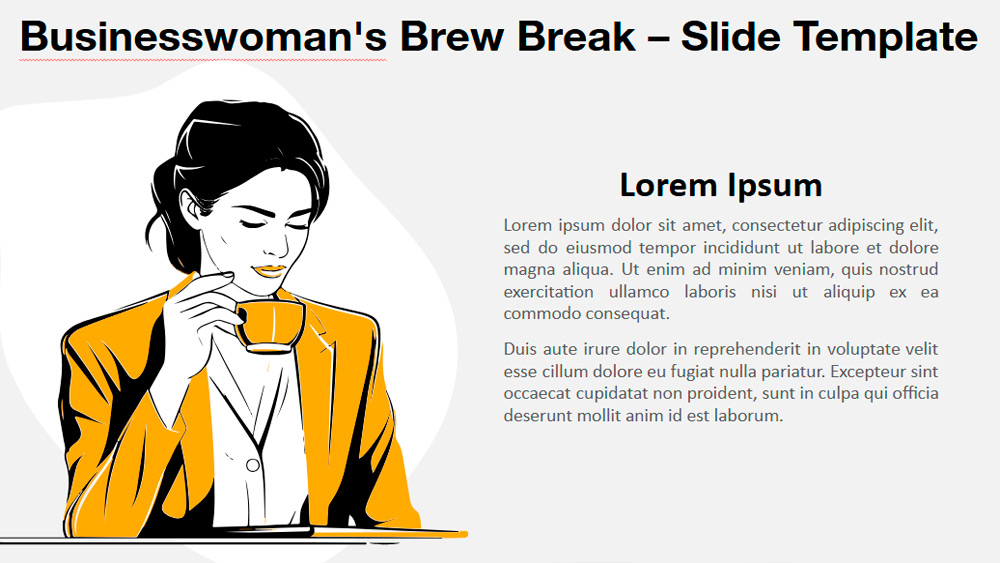


Businesswoman's Brew Break is a unique illustration that combines classic and modern styles, ideal for making your PowerPoint or Google Slides presentations stand out. The graphic depicts an elegant businesswoman enjoying a cup of coffee, drawn with clean, bold lines and a limited, powerful color palette. The illustration blends vintage fashion, such as the woman's sleek hairstyle and orange-yellow jacket, with a simple, contemporary design approach. This makes the image both nostalgic and fresh. Ideal for various professional uses, such as team meetings, training, business presentations, or personal branding presentations, the image can highlight topics like self-care at work or work-life balance. The template includes two slide options in light and dark themes and offers customizable shapes so you can modify the look to suit your needs. It works in both standard and widescreen formats and is compatible with PowerPoint PPTX and Google Slides, providing flexibility and ease of customization for any project.
Preview
Features
- 2 different slides.
- Light and dark theme options.
- Fully customizable shapes.
- Standard (4:3) and widescreen (16:9) sizes.
- Available in PPTX and Google Slides formats.
- Light and dark theme options.
- Fully customizable shapes.
- Standard (4:3) and widescreen (16:9) sizes.
- Available in PPTX and Google Slides formats.
How to download the Coffee Break for Professionals template for Powerpoint
1. On this same page, scroll down to the download block until you see the buttons.
2. Click on the button below the presentation features that says 'Download Coffee Break for Professionals as a Free PowerPoint template'.
3. Once done it will start downloading a .pptx file that you can edit in PowerPoint.
4. If we do not have the powerpoint file we will direct you to the original source so you can download it.
5. If the fonts used in the template are not on your computer, you should download and install them for the template to display correctly. You can find the fonts in the original font link.
Source: presentationgo.com
2. Click on the button below the presentation features that says 'Download Coffee Break for Professionals as a Free PowerPoint template'.
3. Once done it will start downloading a .pptx file that you can edit in PowerPoint.
4. If we do not have the powerpoint file we will direct you to the original source so you can download it.
5. If the fonts used in the template are not on your computer, you should download and install them for the template to display correctly. You can find the fonts in the original font link.
Source: presentationgo.com
How to download the template Coffee Break for Professionals in Google Slides
1. Just like the powerpoint version, scroll to the bottom of the template features.
2. You can now click on the button that says 'Use Coffee Break for Professionals as a Google Slides theme'.
3. A new window will open with a larger preview. If you want to use the template, click the Use template button in the upper right corner.
4. A copy of the document will be added to your Google Drive account and you will be able to edit, add or delete slides.
2. You can now click on the button that says 'Use Coffee Break for Professionals as a Google Slides theme'.
3. A new window will open with a larger preview. If you want to use the template, click the Use template button in the upper right corner.
4. A copy of the document will be added to your Google Drive account and you will be able to edit, add or delete slides.